 Darkfari
Already dark?
Left alone.
Darkfari measures each page. Sites with their own dark mode keep it, and you can still use your theme there with one switch.
Darkfari gives every site in Safari a calm, readable dark look, with themes you choose and settings for each site.
No account. Nothing you browse leaves your Mac.

The Moon is Earth's only natural satellite. It orbits at an average distance of 384,400 km, about thirty times the diameter of Earth, and always shows us the same face.
Its gravity drives the tides and slowly lengthens our day. The Moon formed about 4.5 billion years ago, most likely from debris after a giant impact.
The Moon is Earth's only natural satellite. It orbits at an average distance of 384,400 km, about thirty times the diameter of Earth, and always shows us the same face.
Its gravity drives the tides and slowly lengthens our day. The Moon formed about 4.5 billion years ago, most likely from debris after a giant impact.
The Moon is Earth's only natural satellite. It orbits at an average distance of 384,400 km, about thirty times the diameter of Earth, and always shows us the same face.
Its gravity drives the tides and slowly lengthens our day. The Moon formed about 4.5 billion years ago, most likely from debris after a giant impact.
The Moon is Earth's only natural satellite. It orbits at an average distance of 384,400 km, about thirty times the diameter of Earth, and always shows us the same face.
Its gravity drives the tides and slowly lengthens our day. The Moon formed about 4.5 billion years ago, most likely from debris after a giant impact.
Drag across the page to see the difference.
Four built in, a gallery of classics, or your own colors. Try them on this page.
The Moon is Earth's only natural satellite. It orbits at an average distance of 384,400 km, about thirty times the diameter of Earth, and always shows us the same face.
Its gravity drives the tides and slowly lengthens our day. The Moon formed about 4.5 billion years ago, most likely from debris after a giant impact.
Readable text and real link colors, even on sites that never had a dark mode, and nothing broken on the ones that do.
Darkfari measures each page. Sites with their own dark mode keep it, and you can still use your theme there with one switch.
Pages are darkened while they load, so a new tab doesn't light up the room first.
Pictures and logos keep their colors. Bright ones are dimmed, or turned gray if you like.

A logo or banner that doesn't fit? Click it and keep its own colors, or hide it. Darkfari remembers.
Click the moon in Safari's toolbar. The panel says what Darkfari did on the page and changes it in one click.
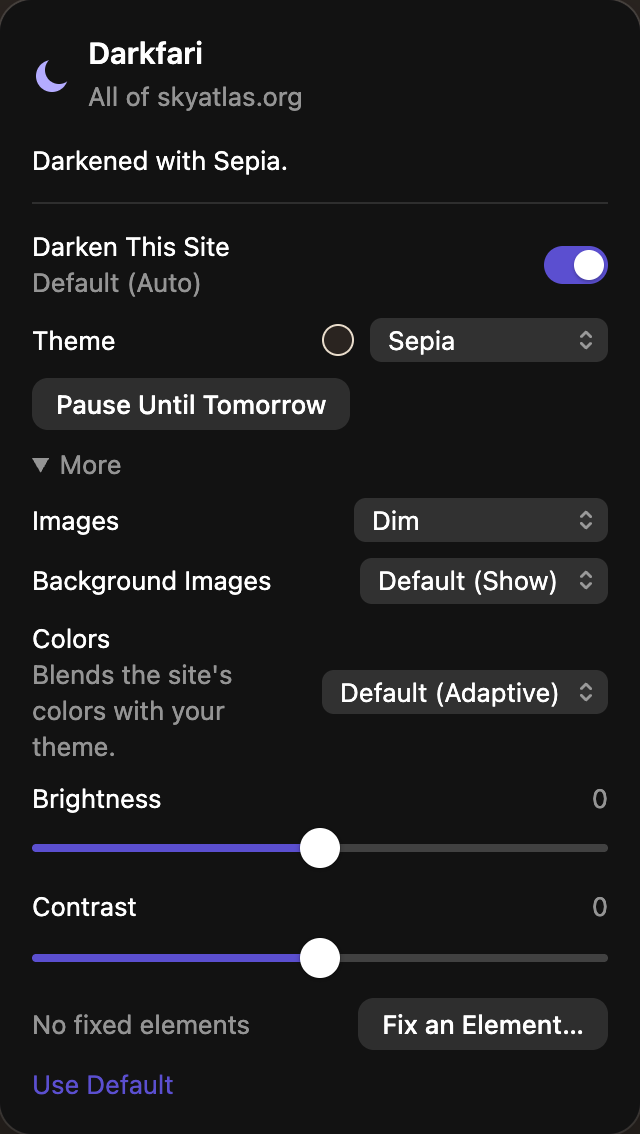
Keep one site light, give another its own theme, dim its images. Every site with its own settings is listed in the app, ready to change.
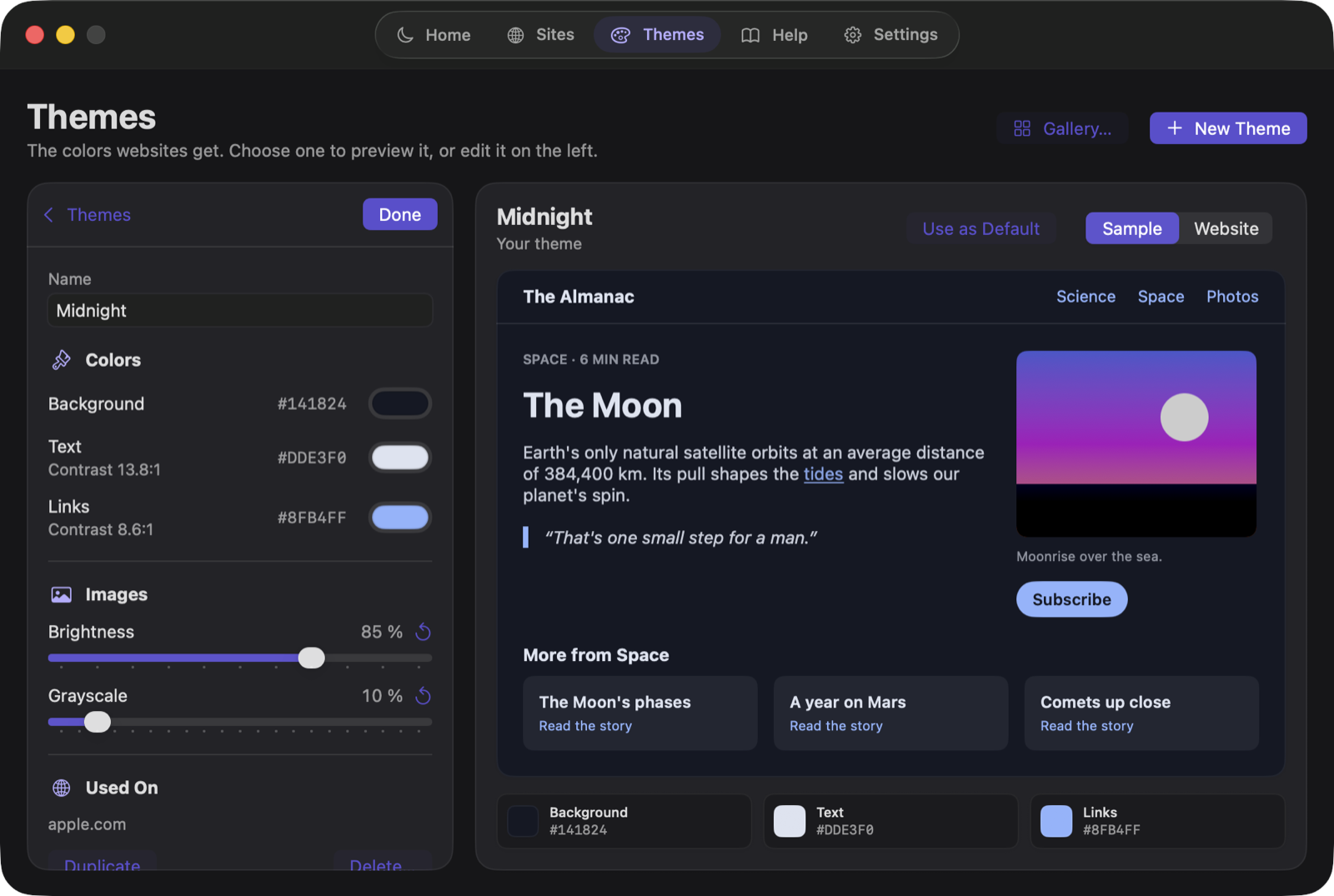
Choose the background, text and link colors, and see them on a sample page or on any real website while you change them.

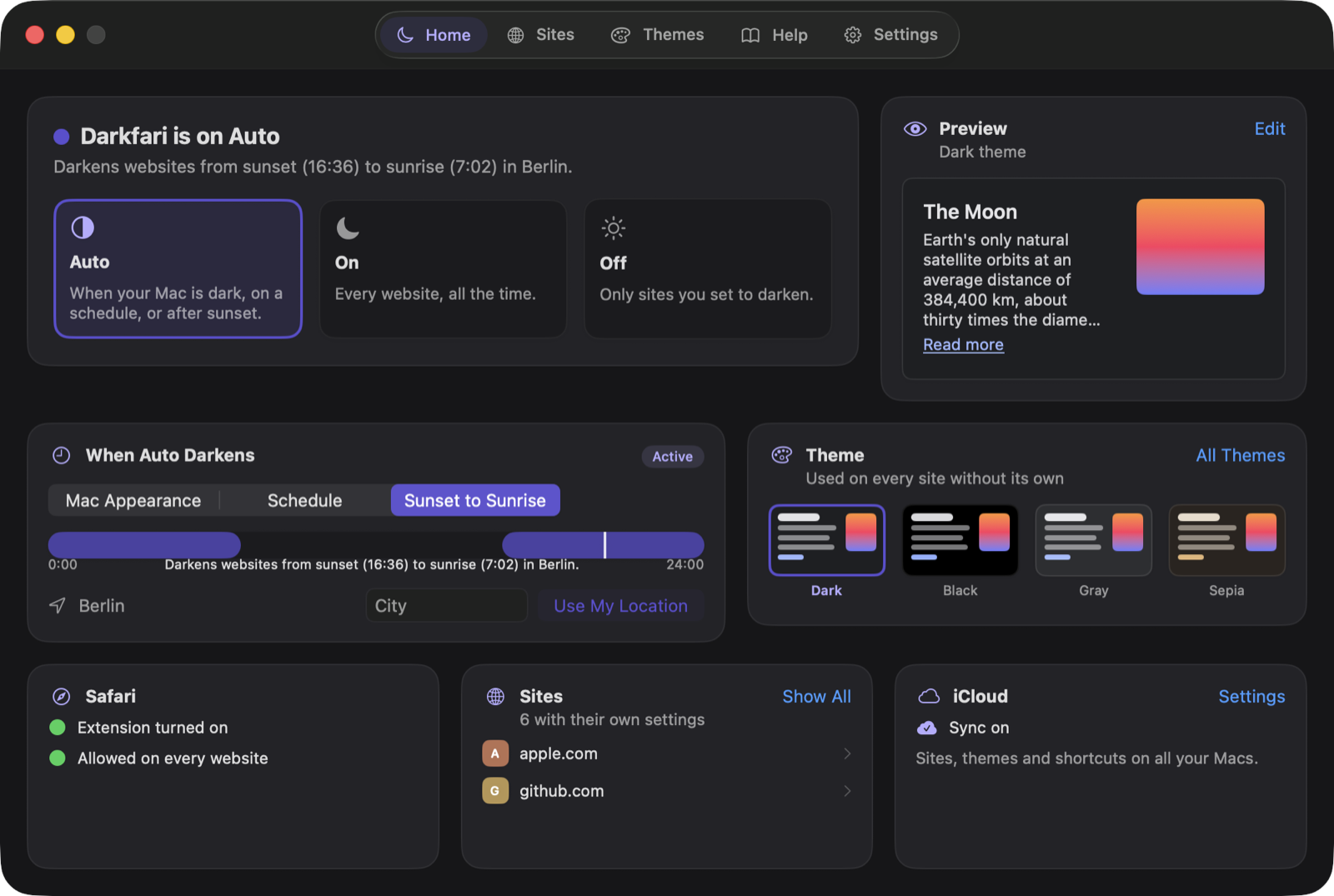
Darkfari can follow your Mac's appearance, keep your own hours, or switch with the sun where you are.

Press your own shortcut in any Safari tab, say ⌃⌥D, and a small note on the page says what changed.

Every page is darkened right on your Mac. Here's everything Darkfari sends about you.
Any Mac with macOS 26 or later. Darkfari works in Safari, and in web apps you added to the Dock.
Open Darkfari and follow Setup: it opens Safari's settings, waits while you switch on the extension and allow it on every website, and ticks each step off by itself. It takes about a minute.
To restyle a page, the extension has to run on it. Everything happens in Safari on your Mac; Darkfari doesn't record or send what you browse.
Click the moon in Safari's toolbar. Switch the site off, give it another theme, choose Strict colors, or use Fix an Element… on the part that looks wrong.
Yes. Auto follows your Mac's appearance, your own hours, or the sun: dark from sunset to sunrise where you are. A Focus can switch it too.
If you want: themes and site settings sync through your own iCloud. You can also back them up to a file.
No. One purchase on the Mac App Store, no account.
Darkfari for Mac. One purchase, no subscription, no account.